Quick answer: The $1.5 Million Wake-Up Call: A Real-World Ransomware Case Study matters because MSP ransomware case study is now part of how MSPs protect clients, prove value, and grow recurring services without adding avoidable operational drag.
The $1.5 Million Wake-Up Call: A Real-World Ransomware Case Study
jomcy
January 23, 2026
A Ransomware Case Study Every MSP Should Read
This ransomware case study is not about a company with no security controls.
It’s about an organization that believed it was secure enough.
Firewalls were in place.
Antivirus was deployed.
Email security was configured.
Backups were running.
Yet one overlooked identity compromise triggered a chain reaction that exposed serious MSP security gaps—and resulted in $1.5 million in ransomware recovery costs.
This is the real cost of a data breach when security decisions are delayed.
The Environment: Why This Ransomware Case Study Matters
The organization (name changed for privacy) was far from small:
46 business entities
600+ computer users
2,500 non-computer users
Internal IT team operating like an MSP
VMware production and DR environments
SAN, NAS, and replicated backups
Enterprise firewall with sandboxing
Endpoint AV, email security, RMM, patching
Network segmentation with VLANs and DMZ
On paper, it looked mature.
In reality, identity threat detection was missing—and that was all attackers needed.
The MSP Security Gaps That Were Overlooked
During an earlier security assessment, several risks were identified:
🔴 1. No 24/7 MDR Coverage
The internal IT team operated 9–5.
Threats operate 24/7.
Without 24/7 MDR, alerts outside business hours went unseen.
🔴 2. Identity Threat Detection Was Weak
IT admins had standing admin rights
Credentials synced across Active Directory
Passwords stored in browsers
IT devices excluded from key security policies
There was no proper identity threat detection or privilege enforcement.
🔴 3. Backup Strategy Was Vulnerable
Backups existed—but:
Production and DR were in two offices
NAS backups were online and reachable
No immutable or persistent cloud copy
The Attack: How MSP Security Gaps Turned Into a Breach
One IT administrator fell for a phishing email.
A malicious WebAssembly payload executed silently.
The attacker:
Harvested credentials from the browser
Used admin rights for lateral movement
Accessed VMware hosts via SSH
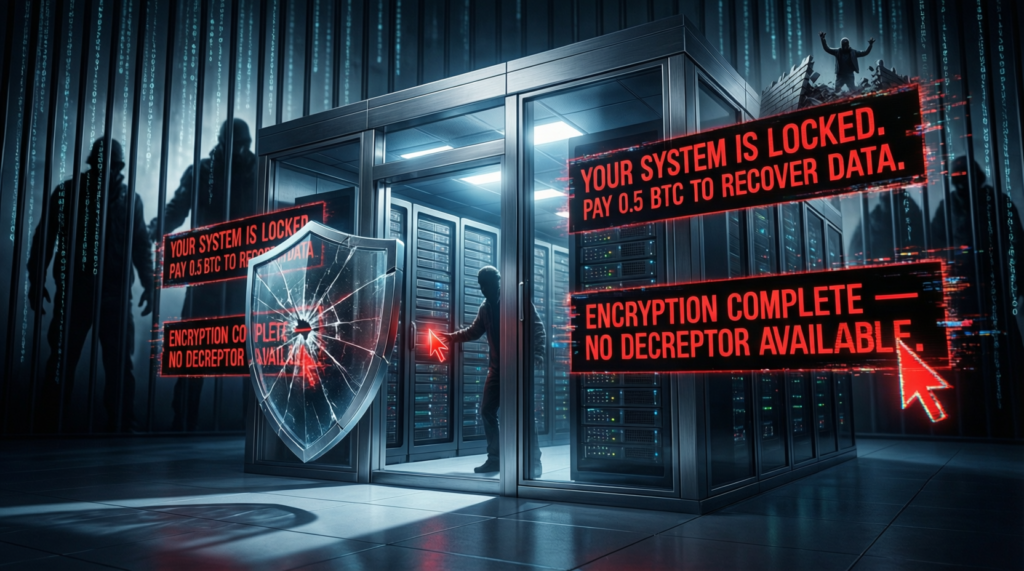
Encrypted production, DR, and backup volumes
By Monday morning:
Production systems were down
DR systems were down
Backups were encrypted
Operations stopped completely
This is how MSP security gaps become catastrophic.
The Cost of a Data Breach: Beyond the Ransom
The organization paid $1.2 million in ransom.
But the real cost of a data breach was higher:
5 days of total operational shutdown
1 month of partial business impact
Permanent data loss
Reputational damage
Customer trust erosion
Emergency rebuild and response costs
Total ransomware recovery costs exceeded $1.5 million.
All of this to avoid proactive investments identified months earlier.
Post-Incident Recovery: Too Late, But Necessary
After the attack, the organization finally implemented:
24/7 MDR with managed SOC
Full incident response and remediation
Identity cleanup and credential rotation
Improved password management
Policy and access hardening
The irony?
These controls cost a fraction of the breach.
Key Lessons From This Ransomware Case Study
1️⃣24/7 MDR Is Not Optional
Ransomware doesn’t wait for business hours.
Neither should detection and response.
2️⃣ Identity Threat Detection Is the New Perimeter
Most modern ransomware starts with identity compromise—not malware.
3️⃣ MSP Security Gaps Multiply Risk
Each exception, waiver, or delay compounds exposure.
4️⃣ The Cost of a Data Breach Is Always Higher Than Prevention
Ransomware recovery costs include downtime, stress, and trust—not just money.
Final Thoughts: Mostly Secure Is the Most Dangerous State
This ransomware case study proves one thing clearly:
Security gaps don’t announce themselves.
They wait.
If you’re relying on:
Business-hours monitoring
Standing admin access
Online-only backups
Risk acceptance waivers
You’re not reducing risk—you’re deferring it.
And the cost of a data breach will always come due.